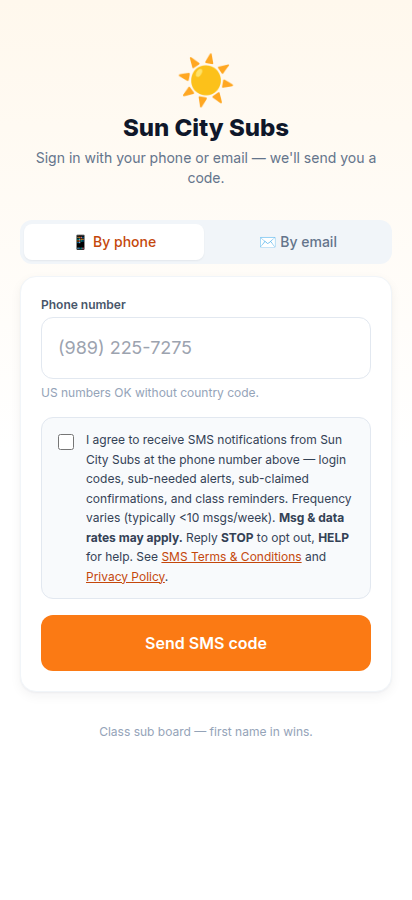
Use your team phone or email. Codes last 10 minutes.
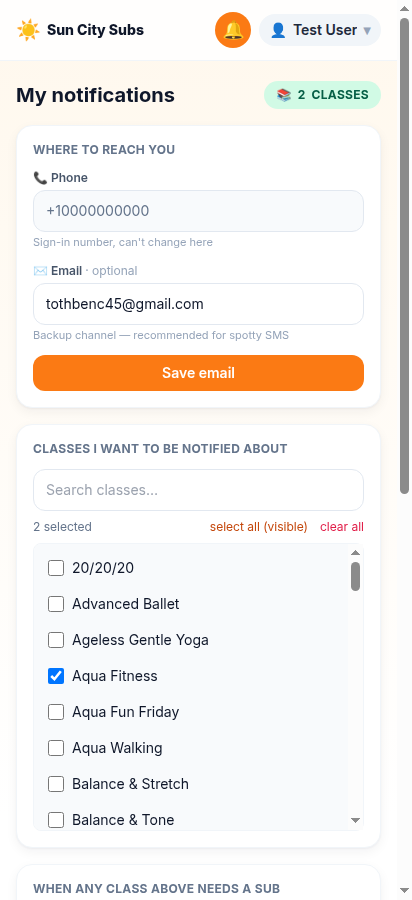
Tap the bell, then tick classes you can cover.
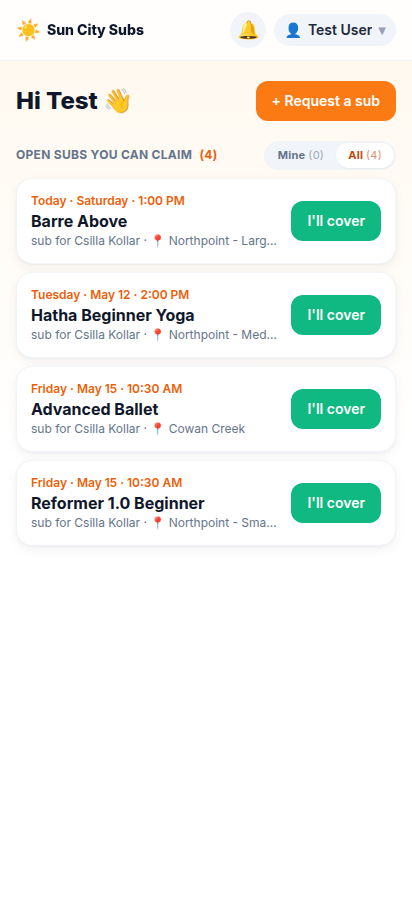
"I'll cover" claims a class. "+ Request a sub" posts one.
First time
Set yourself up once
Go to suncitysubs.org. Use phone or email, whichever is easier.
Enter the 6-digit code. If it does not arrive, tap Resend code.
Tap the bell, open My notifications, and tick every class you are willing to cover.
I can help
Cover an open class
Open the board. Mine shows classes you follow; All shows every open request.
Find a class you can cover and tap "I'll cover".
First claim wins. You and the requesting instructor both get confirmation.
I need a sub
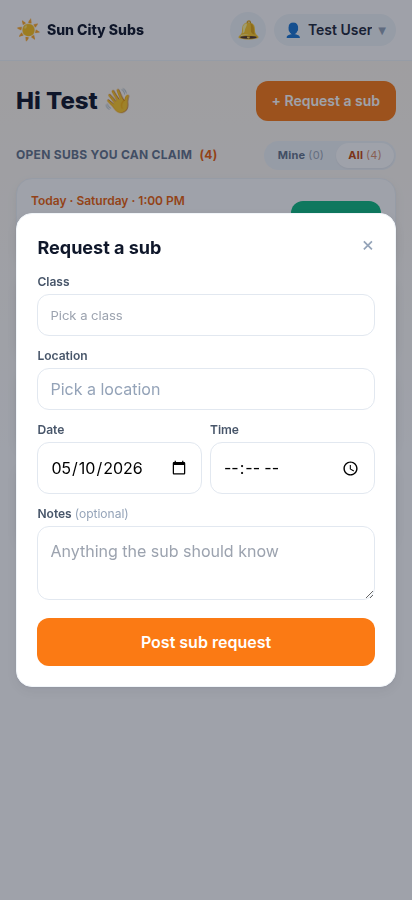
Post a sub request
Tap "+ Request a sub".
Choose the class, location, date, and time. Add notes only if the sub needs them.
Tap "Post sub request". Instructors subscribed to that class get an alert.
If something goes wrong
Quick fixes
I never got my code.
Tap Resend code. If it still does not arrive, ask Csilla to check that your phone or email is on the list.
My phone or email is not on the list.
Ask Csilla at Csilla.Kollar@sctexas.org to add or update you.
I claimed a class but cannot cover it.
Open the class from the board and tap "I can't cover after all". The request goes back on the open board.
Will I get too many alerts?
You only get alerts for classes you tick in My notifications. You can reply STOP to opt out of SMS. See the SMS Terms and Privacy Policy.